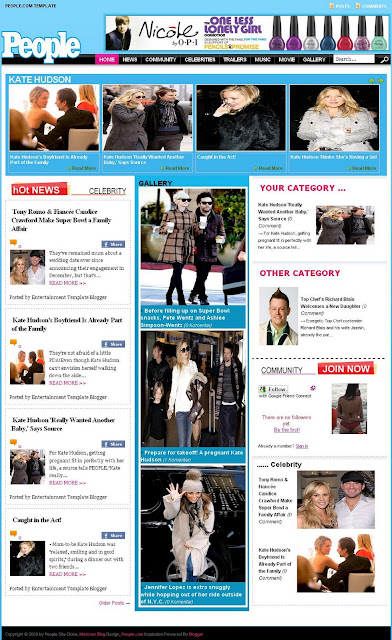
 |
| People Site Clone Blogger Template |
Template Author: MJ Bahring
Description: People Site Clone Blogger Template, If you are looking for an entertainment or celebrity template then People blogger theme is apt for you with 4 column theme which includes a photo gallery, featured posts slider, categories with an image display on the home page and much more.
1. Extract people-site-clone-template.zip File
2. Upload people-site-clone-template.xml file to your HTML Template
3. Copy and Paste code HTML WIDGET on Installation.txt file :
4. Change all home_page link at HTML widget with label of your site.
for example on Celebrity HTML. Link home_page default are:
http://peoplesiteclone.blogspot.com/feeds/posts/default/-/Celebrity
Change it with label of your site. like:
http://yoursitename.blogspot.com/feeds/posts/default/-/Celebrity
change 'Celebrity' word with your site label.
5. Go to Edit HTML on Design Tab Panel Blogger. See ..
label10 = "Kate Hudson";
Title10 = "Kate Hudson";
Change it with your label to show in top gallery like below menu. You must have 6 post or more
to show it.
6. Dont Forget Save Your template to finish....
NB: For faster loading 'Change all javascripts (.js) in source code People site Clone template and upload in your server'. For example use 000webhosting to upload all javascript file.


